HTML & CSS Basics
HTML
HTML stands for Hypertext Markup Language and is used to build the content that will be displayed on our webpages. Content is placed within HTML 'tags'.
HTML Page Structure
A HTML page is made up of two main tags, the <head> which contains meta data about the webpage and the <body> which makes up the content that will be displayed by the browser.
The <head> is where you can link external files like a CSS stylesheet or Javascript script to your HTML page. This is also where you can change the title of the tab in the browser by using the <title> tag.
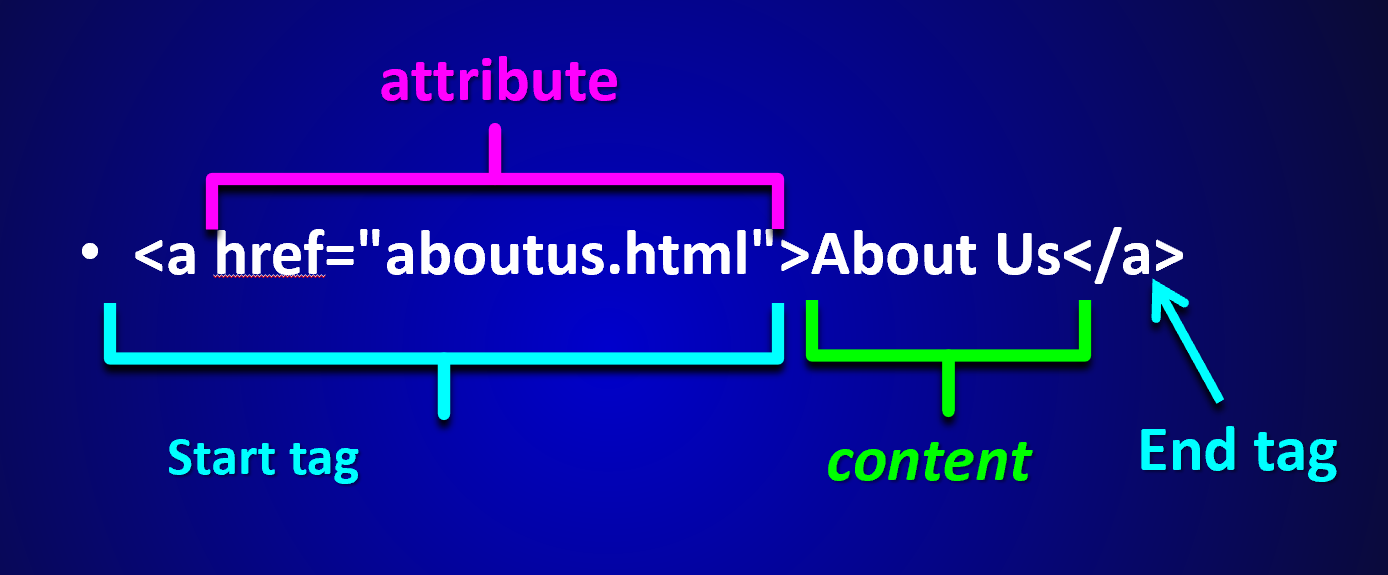
Anatomy of an HTML Element
CSS
CSS stands for Cascading Style Sheets and it used to control the layout and appearance of the HTML content.
CSS can be placed in <style> tags within our HTML files, but best practice is to link an external stylesheet in the <head>.
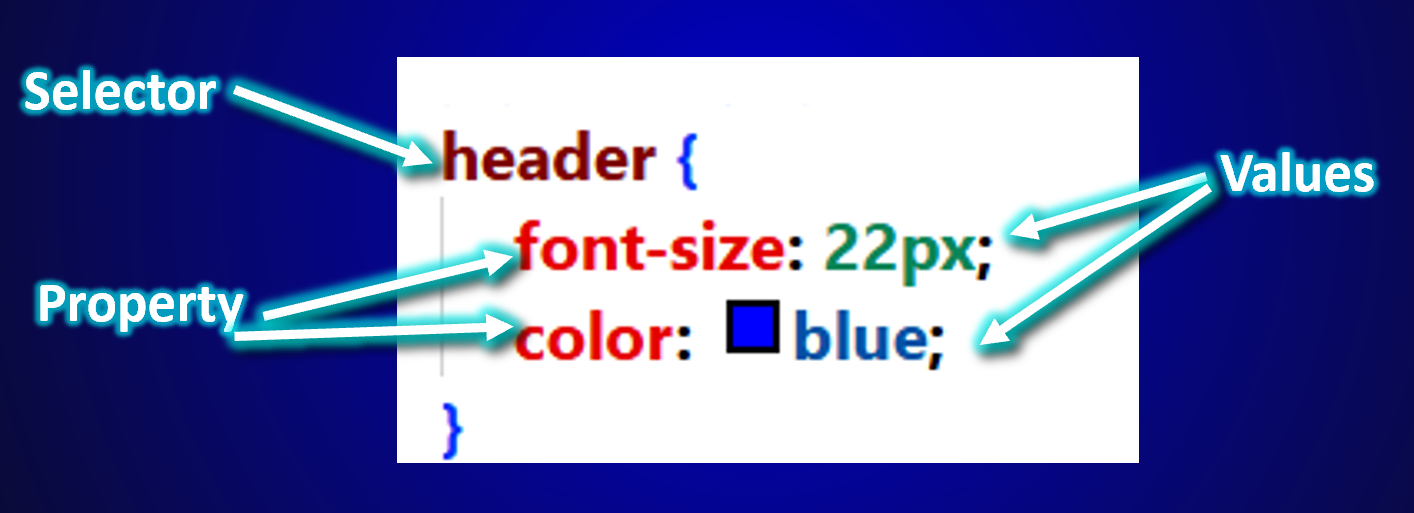
Anatomy of a CSS Ruleset
A CSS ruleset is made up of a selector, properties and values.
Comments
Comments in your HTML or CSS files will be ignored by the browser when displaying the content. They are useful to leave notes for yourself or for other people that may be reading your code.
HTML Comments
<!-- This is a how to write a comment in HTML -->
CSS Comments
/* This is how to write a comment in CSS */
Tables
Any table that can be built in Microsoft Excel can also be build using HTML.
HTML Tags That Make Up a Table
- <table>
- The root element used to define an HTML table.
- <tr>
- Stands for "table row", used to create a row within the table.
- <th>
- Stands for "table header", defines a header cell in a table row.
- <td>
- Stands for "table data", defines a standard cell within a table row.
- <caption>
- Specifies a title of description for the table.
- <thead>
- Groups the header content in a table.
- <tbody>
- Groups the body content in a table.
- <tfoot>
- Groups the footer content in a table.